
How to Organize Contact Info
A practical system for organizing addresses, birthdays, and contact info, plus where a spreadsheet stops being enough.

Extended contact info has a way of ending up everywhere at once: a few numbers in your phone, an address scrawled in a notebook from three moves ago, a group text where someone posted their new address once and you are hoping you screenshotted it. None of it is organized so much as scattered and half-remembered.
Here is a system for actually organizing it, along with where that system tends to break down and what to do when it does.
Step 1: Decide how to store contact information
Before you touch a spreadsheet or an app, decide whether you are tracking people or households. This matters more than it sounds like.
If you track individuals, your cousin, her husband, and their two kids become four separate entries, each with the same address typed four times. If you track households, they become one entry: a family unit with one shared address and four people attached to it.
Households are almost always the better way to organize families, couples, and organizations, because that is how mail, invitations, and holiday cards actually work. You are not sending four separate cards to four people at the same address. You are sending one card to a household.
Step 2: Capture what you actually need, not everything you could
It is tempting to build an elaborate record for each person. Resist it. For most extended contact purposes, you need:
- Current address (and it helps to know when it last changed)
- Names of everyone in the household, including how you know them
- Birthdays or anniversaries you want to remember
- Whether they are on your card list, gift list, or event invite list
That is it. Anything more detailed becomes a maintenance burden nobody keeps up with.
Step 3: Build in a way to track changes over time
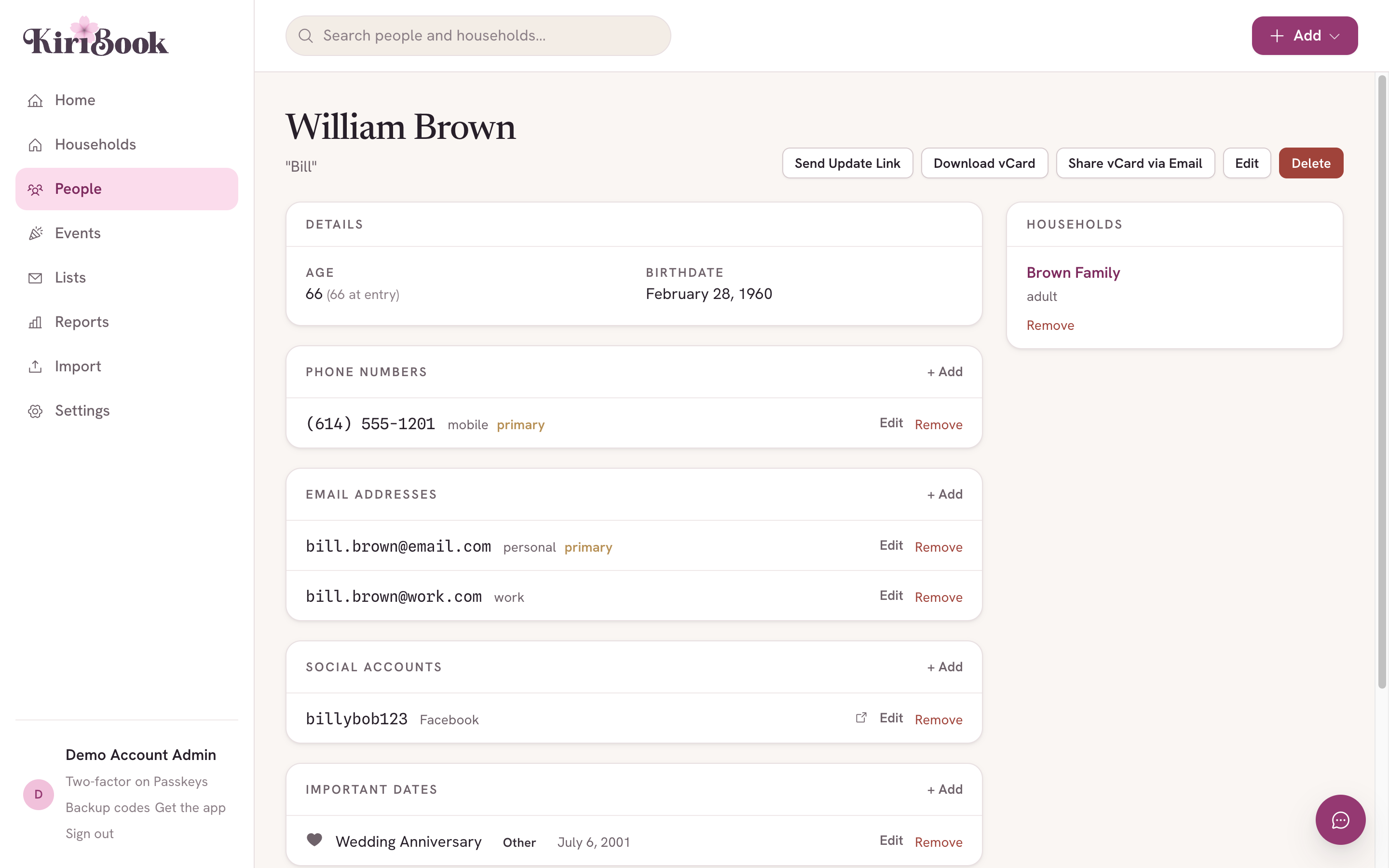
This is the step almost every DIY system skips, and it is the one that causes the most frustration later. People move. If your system only stores the current address and overwrites it every time someone updates, you lose the ability to tell whether the record in front of you is current or six months stale.
Whatever you use, make sure it preserves the old address when a new one comes in, rather than typing over it. Even a simple habit of adding a "moved [date]" note before you update a spreadsheet cell is better than nothing.
Step 4: Set up groups before you need them
Do not wait until you are mid-holiday-season to figure out who goes on which list. Set up your groups in advance: family, close friends, "card list," "wedding invite," whatever categories actually matter to you. When you add a new household, sort it into the right groups immediately, while you remember why it matters.
Groups are where a contacts app and a household directory really diverge: Family Directory Software: What It Is and When You Need It.
Step 5: Get information from people directly when you can
The biggest source of stale contact information is that one person, usually you, is responsible for hearing about every move, every new baby, every name change, and manually updating a record. That does not scale past a handful of households.
Where possible, let people tell you their own updates directly, ideally somewhere you can review and approve rather than something that changes your records automatically the moment someone submits it.
Where a spreadsheet stops being enough
You can do all five steps in a spreadsheet, and plenty of people do. It works for a while. The trouble usually shows up around three things: households end up duplicated across multiple rows because spreadsheets do not have a real concept of a household, there is no way to preserve an old address once you overwrite the cell, and there is no way for a relative to submit their own update without messaging you directly and waiting for you to have time to enter it.
This is the point where a purpose-built tool starts to earn its keep.
If your system is currently a spreadsheet, this goes deeper: The Best Google Sheets Alternative for Family Contacts.
How KiriBook fits into this system
KiriBook follows the exact system above, built into the structure of the app rather than left up to your own discipline. Each record is a household, with the people who live there, their birthdays, and how they relate to you or to each other. Lists handle your groups, family, card list, wedding invite, applied once and filterable whenever you need a list or a set of labels. Changes to records are captured and stored automatically in case you need to look back.
You can send friends and family a link so they can submit their own address or contact updates, and you approve each one before it changes your record. You still say yes to every change; you just are not the one retyping it.
KiriBook is free for up to 25 households and 100 people, and $59 a year beyond that if your address book grows past it.
Put the system to work
If you have been meaning to get your family address book organized for a while and keep putting it off, KiriBook is built to make the system above take an afternoon instead of a weekend. The slowest part is usually collecting the addresses, so start there and let everyone fill in their own. Bring your scattered addresses into one household-aware book → Free for up to 25 households, no card required.